
Pickup Lockers
Getting library materials just got a whole lot easier!
Now you can use Pickup Lockers behind Jersey Mike’s at 171 Freeport Road in Blawnox or outside Sharpsburg Community Library’s entrance at 1212 Main Street in Sharpsburg to get items you’ve placed on hold.
These lockers were funded by the Allegheny Regional Asset District (RAD) through their Transformative Community Library Fund grant program.
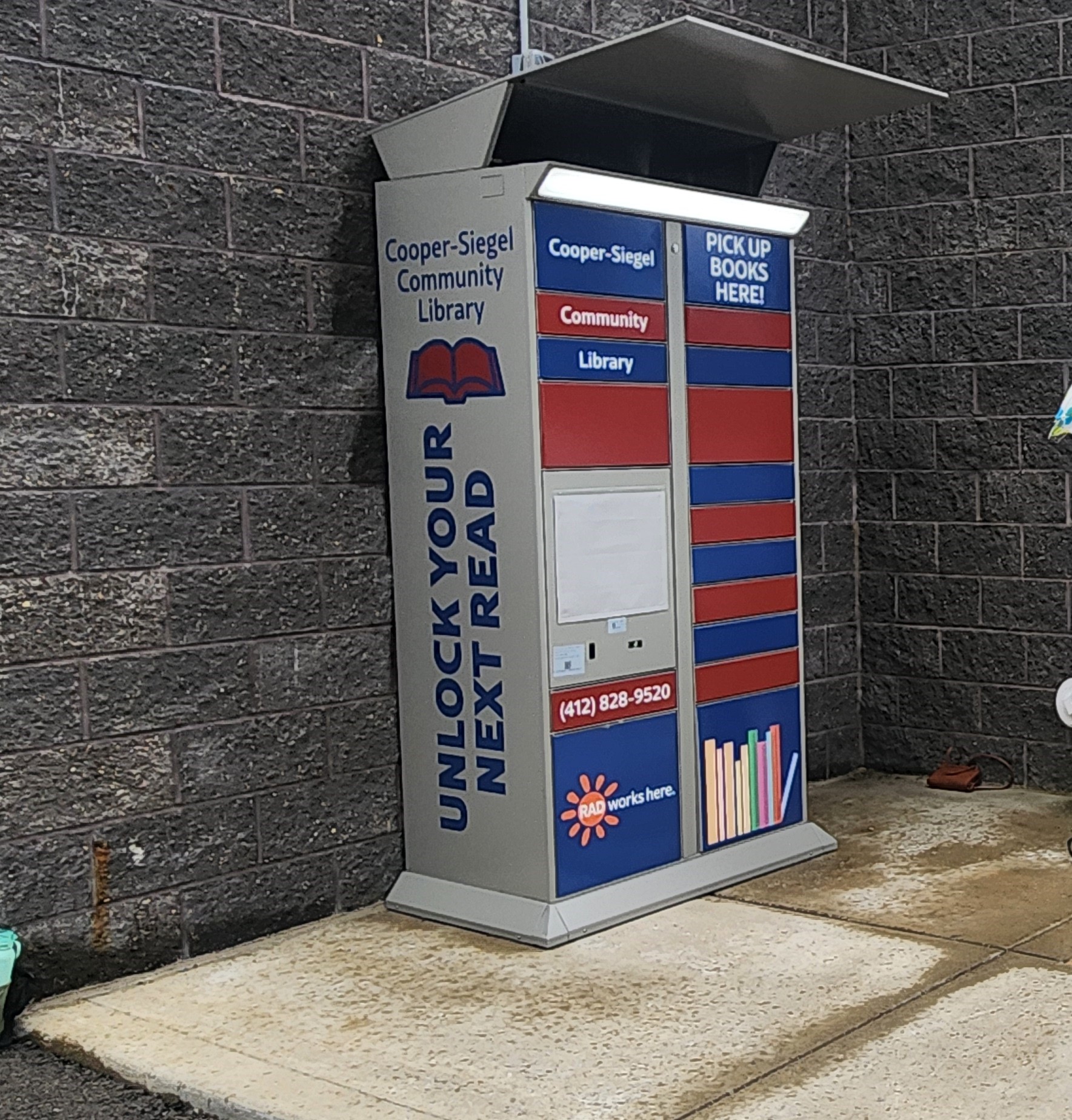
Blawnox Locker
Pickup Lockers behind Jersey Mike’s at 171 Freeport Rd. in Blawnox 1. Place an item on hold in the library’s online catalog and select Blawnox Lockers as your pickup location. 2. When your item is ready to be picked up, you will receive an email and/or text notification with a QR code and 5-digit code. 3. When you arrive at the Blawnox locker, lift the cover over the screen and touch the Patron button. (If you see a white screen with a little icon at the top, tap the icon. Then proceed with touching the Patron button on the next screen). 4. Scan the QR code or enter the 5-digit code in the email and/or text notification you received. 5. A locker door will pop open. Retrieve your item and close the door. 6. You can return your item to any Allegheny County public library when you are finished with it.

Sharpsburg Locker
Outside Sharpsburg Community Library’s entrance at 1212 Main St. 1. Place an item on hold in the library’s online catalog and select Sharpsburg Lockers as your pickup location. 2. When your item is ready to be picked up, you will receive an email and/or text notification with a QR code and 5-digit code. 3. When you arrive at the Sharpsburg locker, lift the cover over the screen and touch the Patron button. 4. Scan the QR code or enter the 5-digit code in the email and/or text notification you received. 5. A locker door will pop open. Retrieve your item and close the door. 6. You can use the book drop outside Sharpsburg Community Library’s entrance when the library is closed to return your item when you are finished with it.